Check out the code for this project here
A Python Script to help improve peripheral vision and increase reading speed
I have seen from numerous youtube videos that one method to increase your reading speed is to increase your peripheral vision. The principal is simple when reading we move our eyes from side to side across the page which wastes time. If we could manage to read the words with our peripheral vision instead of relying on our central vision we could essentially have our eyes remain in the centre of the page and just move up and down. As well as this our eyes don't actually move smoothly from side to side they make small jumps called saccades where you stop to read certain words. By using our peripheral vision we would also eliminate this issue.
This would dramatically increase reading speed allowing us to absorb much more information faster. One strategy to do this mentioned throughout these video is to draw two vertical lines slightly inwards on the page then try and only read between those times. Over time you will get used to using your peripheral vision more. Then you slowly bring in the lines from the edged until you don't have to move your eyes from side to side at all.
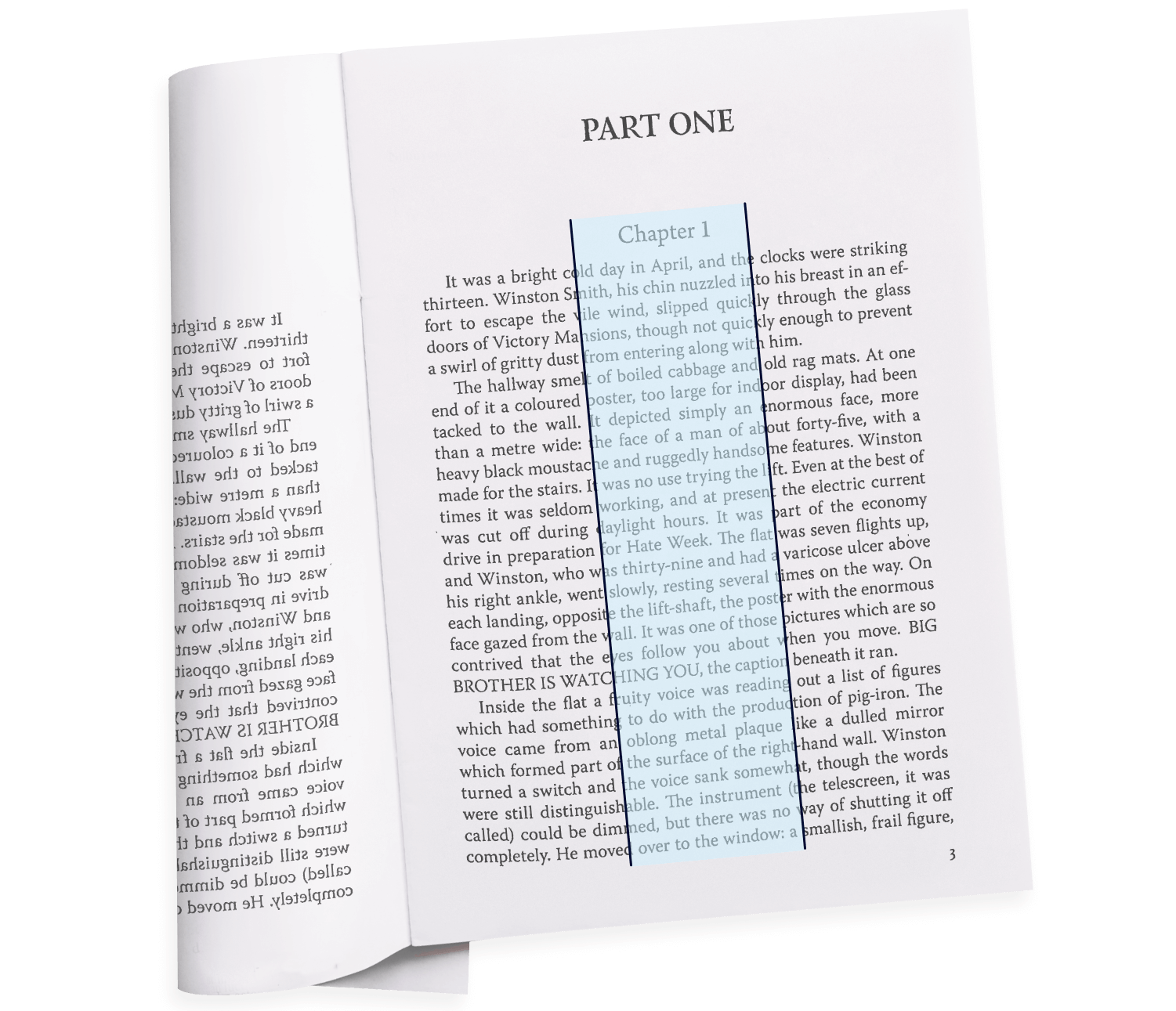
The Python Solution
As I read a lot of books on pdfs using my Boox Palma ereader (highly recommend). I decided to write a lightweight Python script that automatically draws parallel vertical guide lines on every page of a given PDF. This way I wouldnt have to mannually draw these lines on every book I read and also move them.
To make this work, I used two popular Python libraries:
PyPDF2: To read the original PDF and handle the page-by-page manipulation.reportlab: To draw the actual lines and generate a temporary PDF overlay.
The script itself is quite simple but has been very powerful in helping me to increase my reading speed. To use it simply run it entering the coordinates where you want the lines to be. Overtime you can bring the lines further and further in.
Room for Improvement
The script has been very helpful for my personal use but is a bit janky and has al ot of room for improvement.
- Percentage input: At the moment the script merely takes the coordinates where you want to draw the lines. What would be better is to have the user input the percentage of the page to go in then have the script place the lines there. This way the script would work for all page sizes and be easier to use.
- Eye tracker and AI: Having a system that uses an eye tracker to track where you are reading and then uses AI to dynamically adjust to where you are reading between. The system could also warn you when you are reading outside the lines and let you know your progress to the centre.